
Cat Facial Recognition and
Catalog App
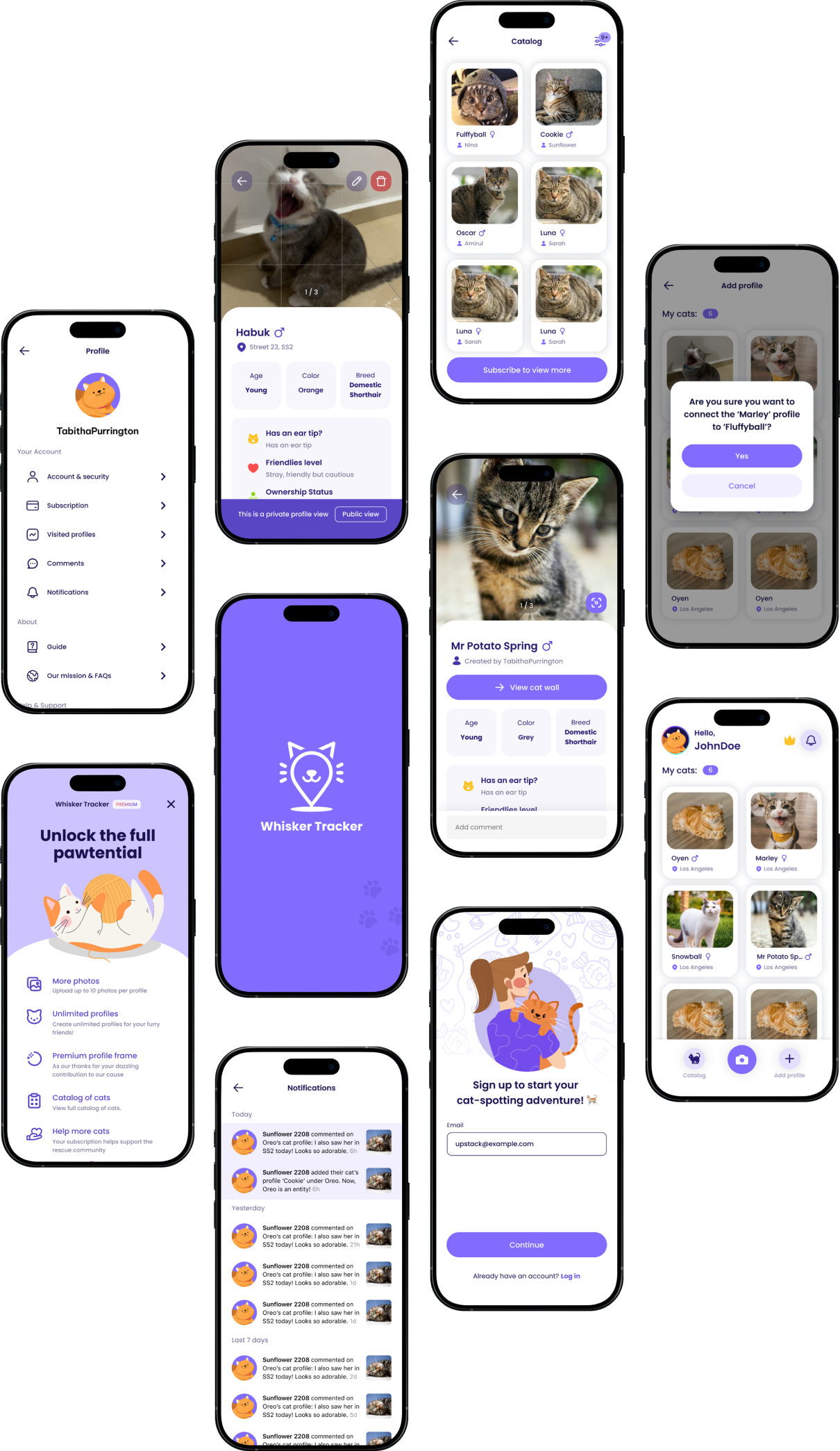
WhiskerTracker is a mobile app that uses cat facial recognition to identify and catalog cats. It's purrfect for people who take pictures of outdoor cats — you can track your walks, take pictures of cats, make cat profiles, and see your cats and cat colonies on a map.
As interim designer, I was tasked to:
The app's cat-connection logic was locked to a single moment: you could only link cats to each other while creating a new profile.
Once a cat profile existed, there was no way to go back and connect it to another cat, or to a colony, without starting over. On top of that, cat profiles were missing basic information users expected, and there was no structure to keep people motivated to keep tracking.
This created a few problems:
The product goal was to update the design to the client's latest requirements, and — more importantly — figure out the logic and design for connecting a cat to other cats and sub-entities (and vice versa) at any time, not just during creation.
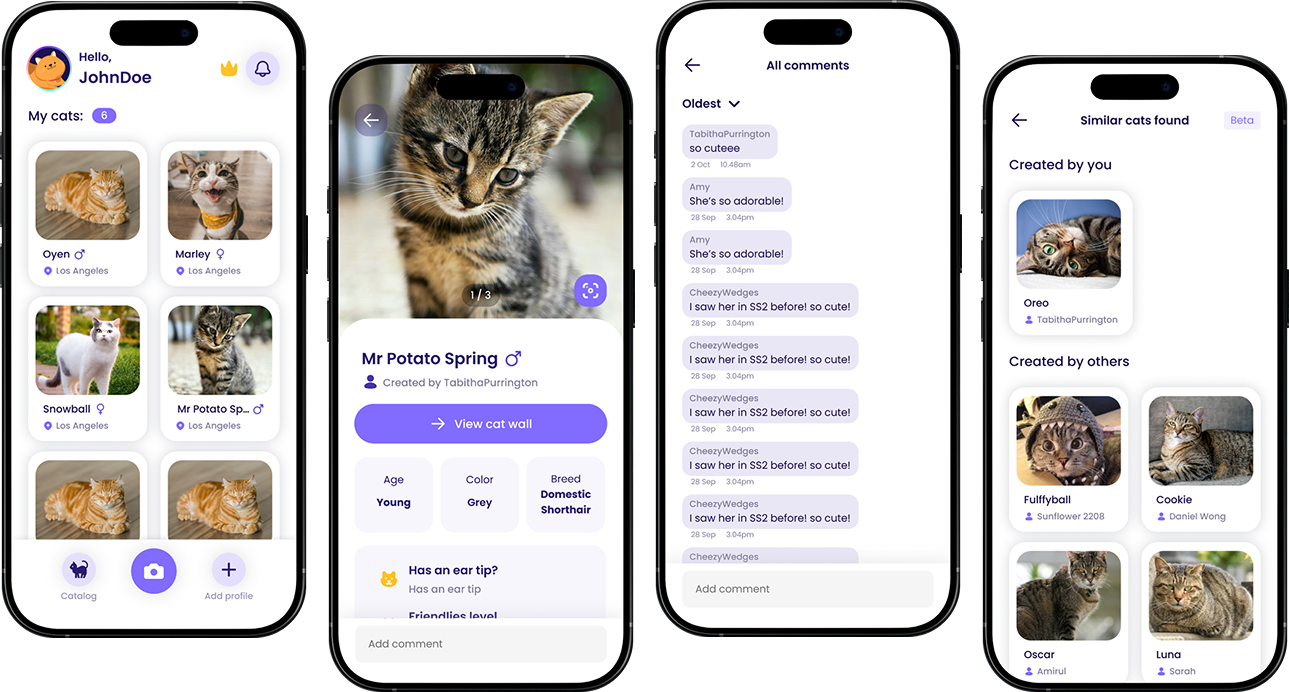
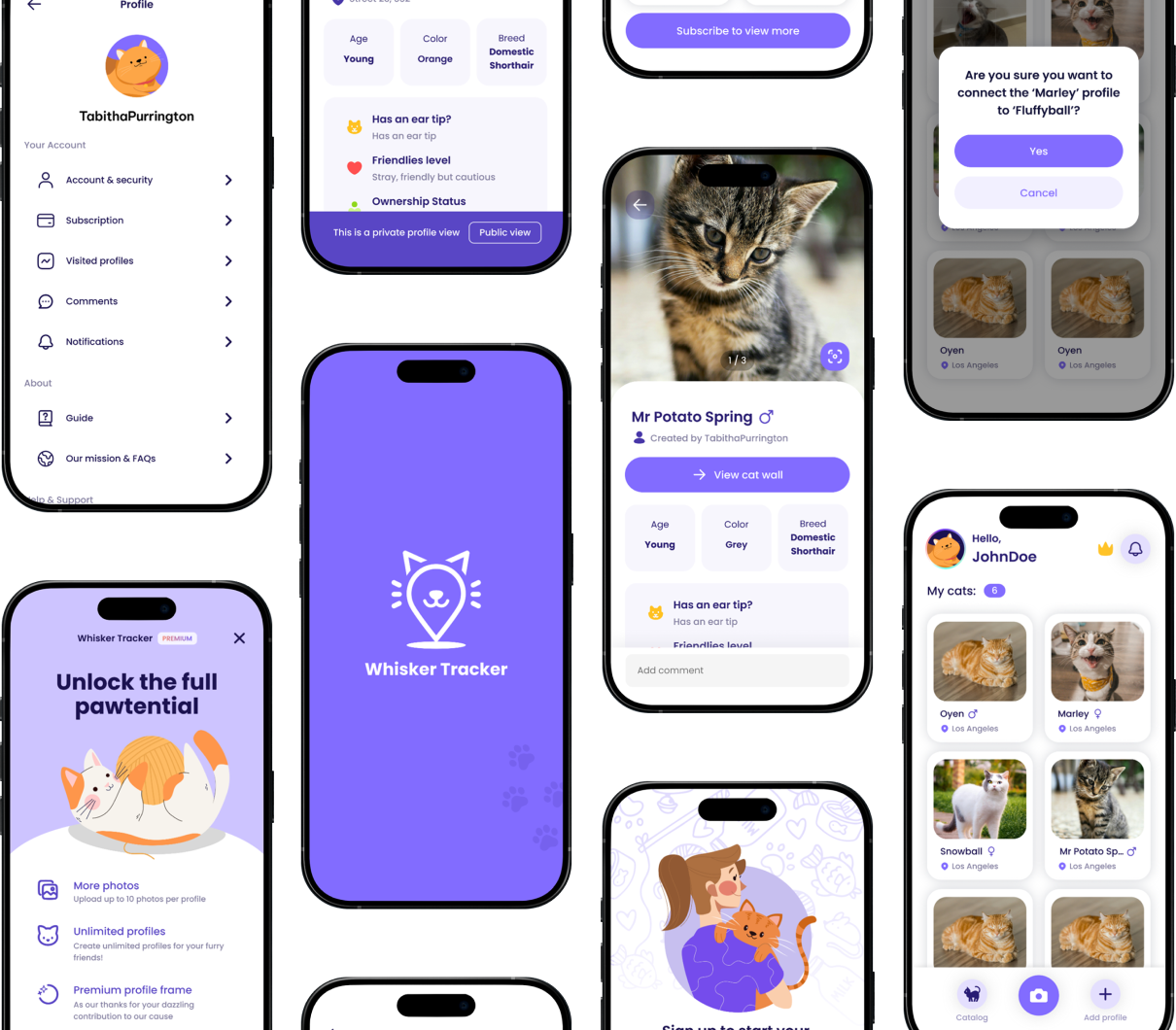
The main users are people who look after outdoor and community cats, often across a whole colony rather than a single pet.
They may include:
These users needed profiles and connections that could grow and change over time, since real relationships between cats and colonies are rarely known all at once when a profile is first created.
Joining as an interim designer meant working inside an existing product, so I started by understanding what was already built before proposing changes.
Existing flow review
I reviewed the current create-profile and connection flows to understand exactly where the "connect only at creation" limitation came from.
Client requirement handling
I translated Phase 2.5 client requests into concrete design tasks: gender, microchip ID, manual connect, and notifications.
Logic & entity mapping
I mapped how cats, colonies, and sub-entities could reference each other, so a connection could be made in either direction, at any time.
Serving as an interim designer, I handled the client's Phase 2.5 requests and updated the design accordingly.
I added gender and microchip ID fields to the cat profile, keeping microchip ID visible only to the profile owner to protect sensitive information. I also designed a notification page so users know when someone comments on or connects to their cats.
The most involved part was redesigning the connection logic itself.
Previously, cats could only be linked to each other during profile creation. I redesigned the flow so users can manually connect cats even after a profile already exists, which matches how people actually discover relationships between cats over time.
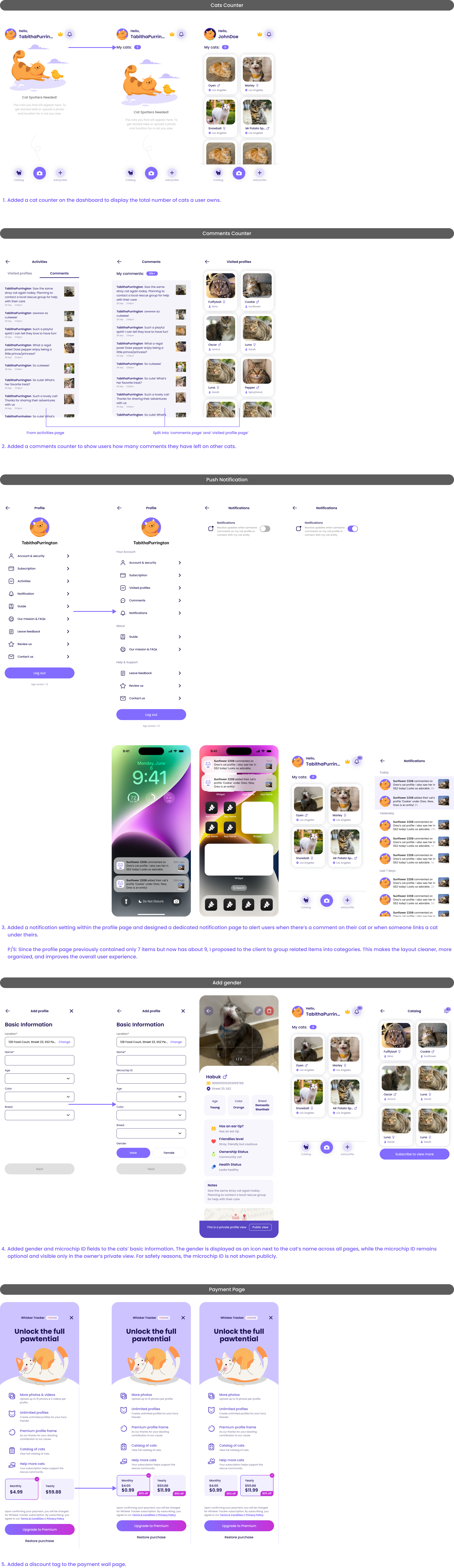
The biggest insight was that a growing profile needs room to grow — connections, settings, and identity details all pile up over time, and the design has to keep up.
As more fields like gender and microchip ID were added, the profile page risked feeling cluttered. Grouping profile items into clear categories kept it easy to scan even as it grew.
These insights shaped the design decisions:
These insights helped shape a version of WhiskerTracker that gives users more visibility and control as their cat catalog grows.
The final solution redesigned WhiskerTracker's app logic so cats can be manually connected to each other even after their profiles already exist.
WhiskerTracker now allows users to:
Instead of forcing every relationship to be defined upfront, the app now supports how people actually get to know a colony: gradually, one connection at a time.
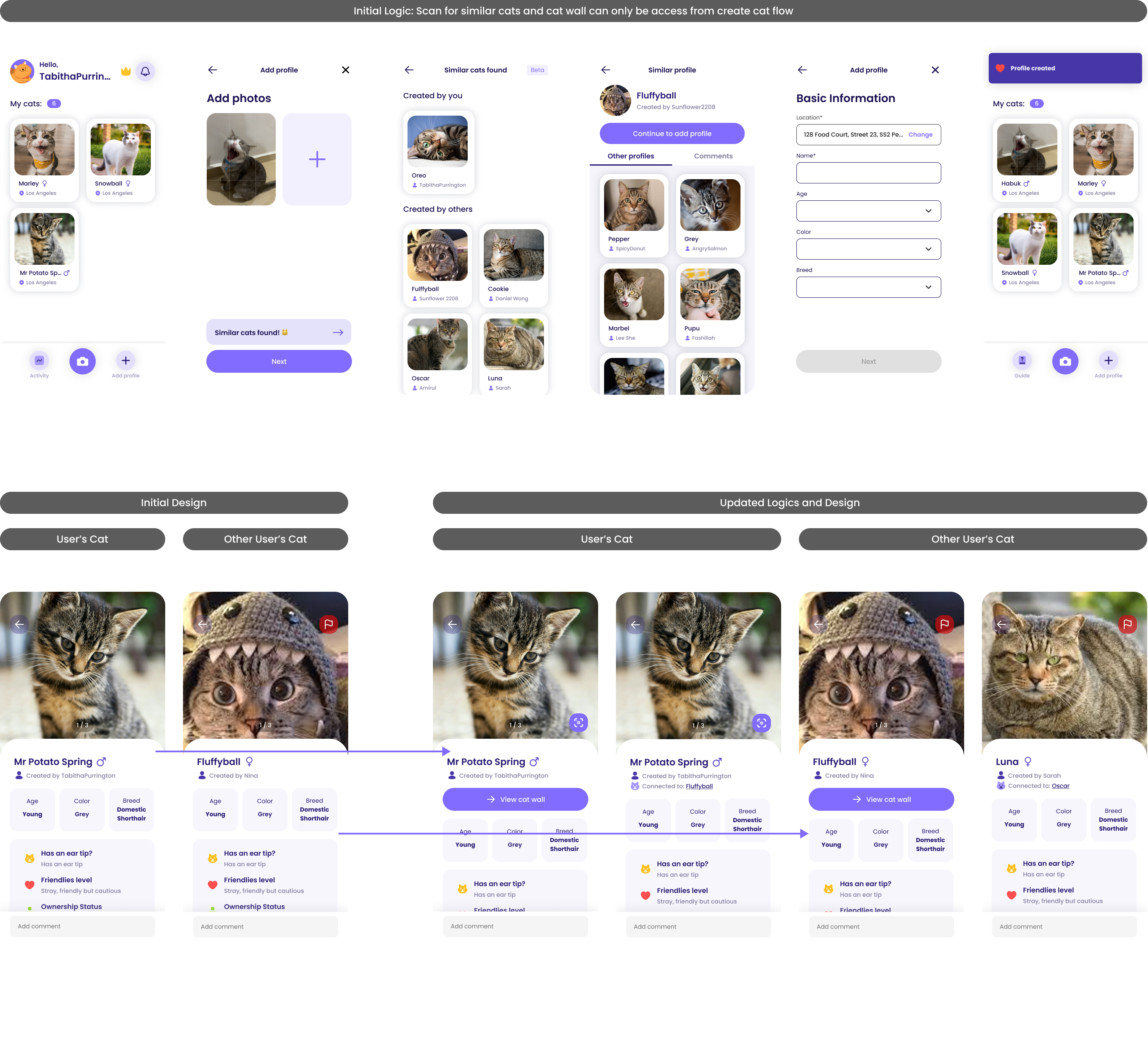
The updated design gave WhiskerTracker a more complete and flexible cat-catalog experience.
The update helped create:
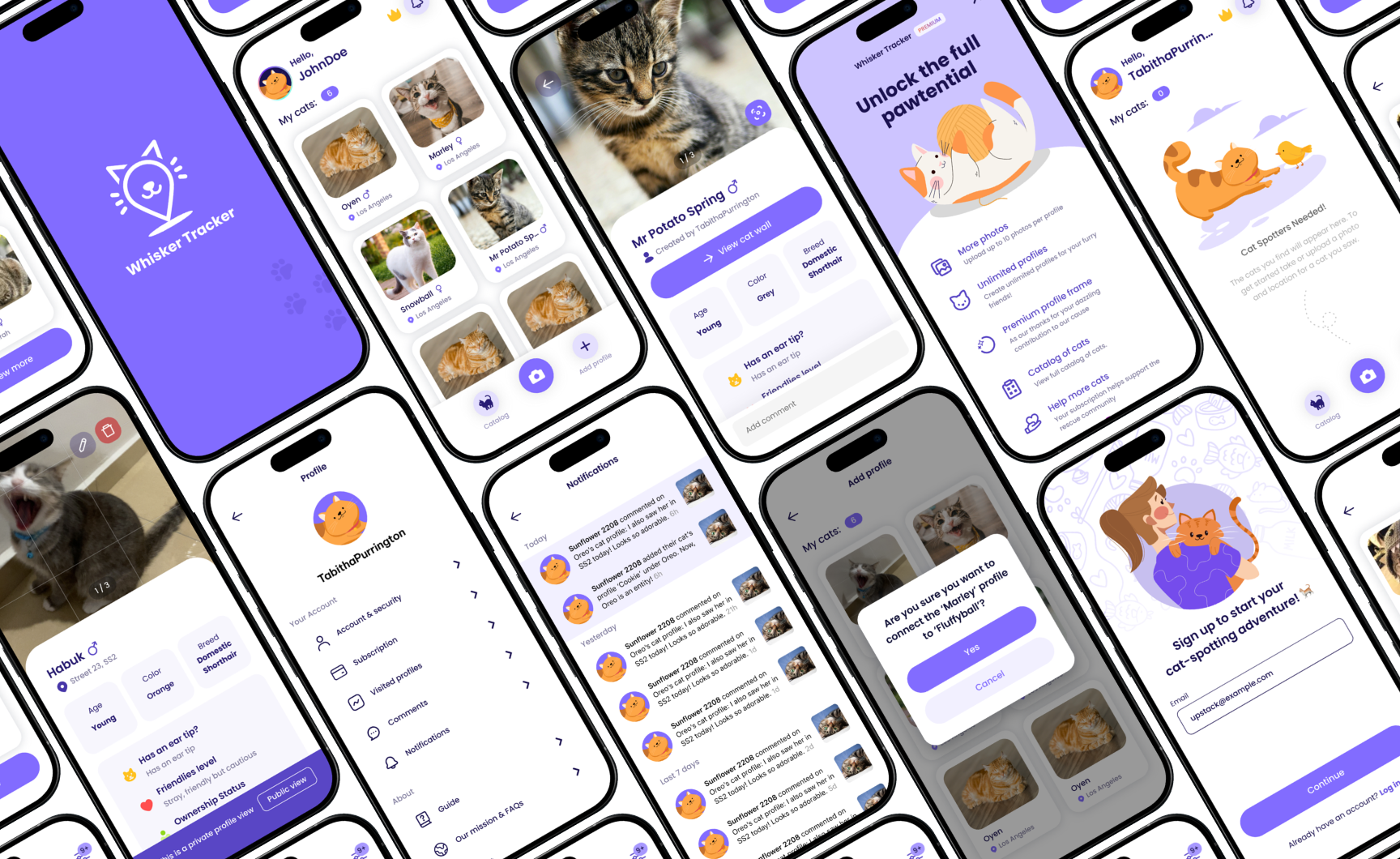
This project taught me how to design inside a live, existing product rather than starting from a blank canvas.
Working within a tight two-week interim scope meant every decision had to fit logic and patterns that were already in place, while still solving real limitations for users.
What went well was shipping several meaningful features — gender, microchip ID, manual connect, and notifications — within a short two-week interim engagement, without disrupting the app's existing flows.
What could be improved is deeper testing with real cat caretakers. With more time, I would validate the new manual-connect flow and notification page with actual users to see how intuitive they feel.
This project strengthened my ability to work as an interim designer: reading an existing system quickly, respecting what already works, and finding where the design logic needs to flex to support real user behavior.
